
The Easiest Ways To Quickly Check How Full Your Flight Will Be
We may receive a commission on purchases made from links.
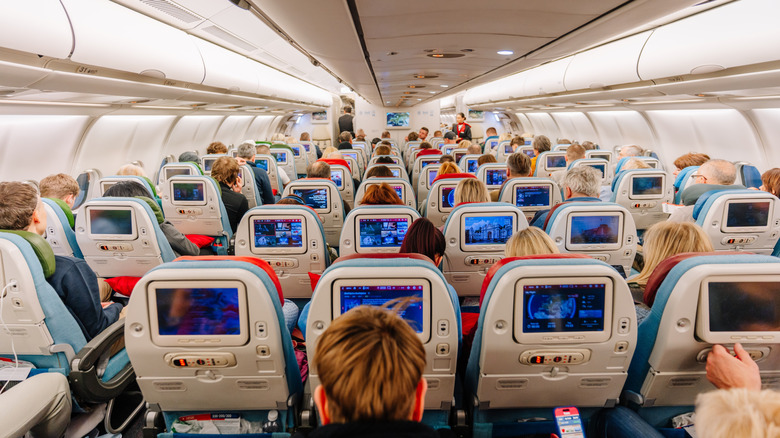
Whether you're a frequent flyer who rides the skies week on week, or a holiday maker on annual vacation — we suspect that you, like us, don't love being sandwiched in the middle seat of a fully booked flight. The dream of having all three seats of the row to yourself is the Economy Class jackpot, particularly on long-haul flights where naps are needed. So much so that some daring travelers play "check-in chicken," opting to check in to their flight last minute to boost their chance of better seat selection.
But stretching out your limbs and belongings across a whole row needn't be a stroke of luck. We've got some savvy tips on ways to check how full your flight will be, which are particularly useful if you can be flexible and hop to a different flight or class like a pro. Strategies like signing up for a handy upgrade app such as ExpertFlyer, keeping an eagle eye on your airline's app or website, or reaching out to your airline's customer assistance team are all worth adding to your toolbox, so we're here to break them down.
There's also a handful of hacks to bear in mind to avoid flying during the busiest times. Flight experts like Expedia cite Tuesdays as the quietest day to travel, while other flight blogs suggest that flying between 7 a.m. and 8 a.m. in the morning is the best time to avoid crowds and busy flights, while red-eye night flights are another quiet option. But to be sure you're on the right (quiet) path, let's dig into the aforementioned strategies.
Sign up for an upgrade app like ExpertFlyer

ExpertFlyer is a flight and award seat tracking and comparison tool that outlines how full a flight is by checking the seating plans across all classes on board. It is generally used by fliers hoping to snag an upgrade. Users can set up notifications to monitor a specific seat on their chosen flight (paying members can set up seat alerts for up to 200 seats), and the most accurate information is released 24 hours prior to a flight's departure.
If your booked flight shows up as very busy, you can use this app and website to check for earlier or later flights on the same route with the same airline. If it is much quieter, you can contact your airline or log in to the airline's webpage to swap to the less busy flight, if your fare type allows for it. You can sign up for ExpertFlyer for free and set up one alert at a time gratis, or pay $8.33 a month for up to 200 alerts (as of this writing).
Keep an eagle eye on your airline's app
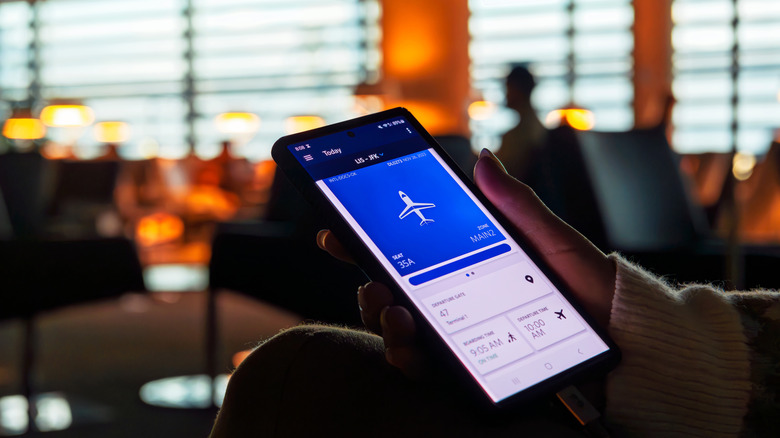
Most airlines the world over display flight seating plans on their apps when you first book the flight, so customers have the option to select a seat at the time of booking. Some savvy flyers return to the same airline app to check the flight when they want to switch seats, whether to upgrade or to sit next to friends and family, a few days before departure.
The picture becomes clearest when checking in 24 hours before departure. Using your booking reference number and surname to log in to the app, you can click on "manage your booking" and select the option to change your seat. At this point, it becomes apparent how busy a flight is. Occupied seats will be demarcated, and should it be full to the rafters, you can look at swapping to an earlier or later flight for comparison. You can see all your options before confirming any changes. Some airlines these days don't charge for a flight change — you'd just have to cover any additional fare.
Of course, there's also the option of waiting until checking in at the airport, using the hack that turns long lines breezy — lining up at the counter nearest the business class lane because the staff will call you over between business class travelers. You can explain to the staff in person that you're happy to stand by for the next flight that's less busy. It requires a lot of flexibility, so should you be lacking in time or confidence, you might prefer the next tip.
Reach out to your airline's customer assistance team

Calling your airline to discuss how full your flight is and explore alternative options is a great move, particularly a day or two before flying. It can be a bit time-consuming, but it gets the job done. Delta's reservation specialists are on hand to call or message to request a move to a "Same-Day" flight, for example.
These days, it's possible to avoid long hold times. Many airlines allow you to request a callback by texting customer service, which will call you at the earliest available time. United Airlines is one such carrier that provides a text hotline on its website. This way, you can easily request a call from United's customer service team. American Airlines has a 24/7 virtual assistant you can chat with or request a call through if you'd rather speak with a person than use the airline app. But whatever option you choose, it's good to have options that help you avoid those really full flights.