
Don't Hold Up The Line - Should You Remove Your Tablet From Its Sleeve At Airport Security?
Seasoned jetsetters with TSA PreCheck or Clear privileges may be lucky enough to forget how nerve-wracking regular security lines can be. However, for many anxious travelers without such fast passes, nothing induces stress quite like airport security. Even when lines are short, walking through a TSA checkpoint can be tense. You start with crowds of harried flyers carrying often cumbersome bags. Then, you make these antsy crowds funnel through a maze of stanchions and barricades just to reach the initial phase of passenger screening. If you forgo a carry-on or personal item, a walk through a metal detector or full-body scanner could mark the end of your journey through security — unless, of course, either machine flags an anomaly. If they do, expect some additional scrutiny in the form of a pat-down. Meanwhile, those with bags won't even reach this stage without first preparing their luggage for inspection.
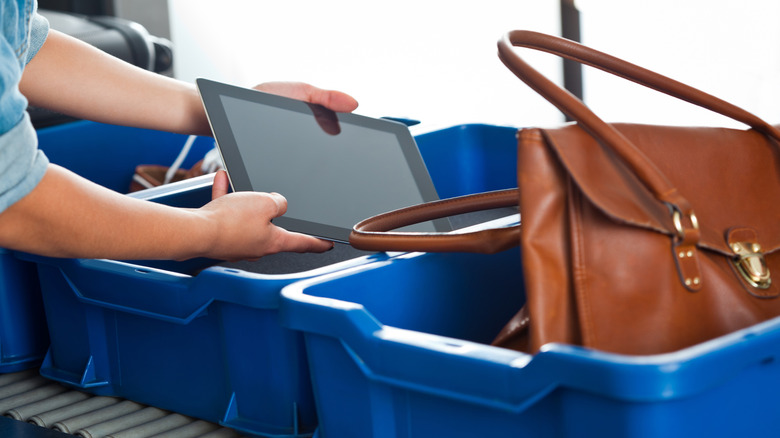
It's while tackling this task that the real stress and confusion begin for countless travelers. As you gaze into those plain yet intimidating TSA bins, your mind is flooded with questions. Do I remove my laptop from my bag? Did I take my phone out of my pocket? Should I remove my tablet from its protective carrying sleeve before it goes through security? While there's typically signage on-site to help answer a few common questions, many will remain unanswered as you walk up to the conveyor belt. However, folks who do a bit of research before heading to the airport will find that the TSA has a clear answer to the last question, which explains that all personal electronics larger than your phone must be put "into a bin with nothing placed on or under them."
Play it safe and ditch the tablet sleeve before TSA checks
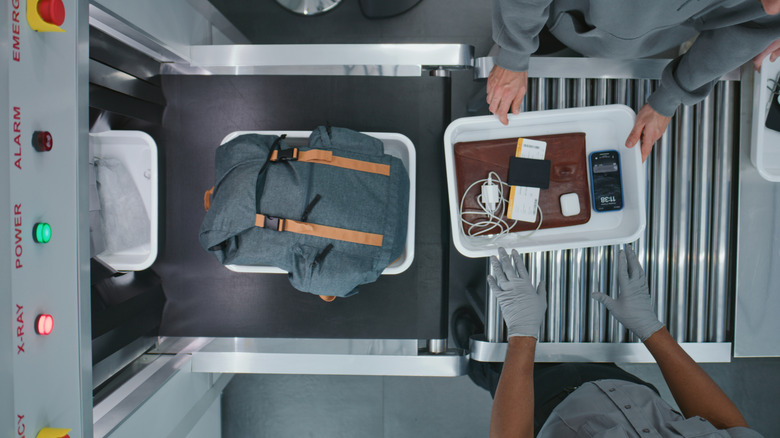
Confused about everything you need to know about getting through airport security? We get it. With TSA regulations being prone to changes, even experienced travelers can get caught off guard by sudden switch-ups. If you've ever been annoyed by inconsistent TSA rules, remember that randomness and variability are features of (rather than bugs in) the agency's procedures. With this in mind, we can't promise one specific approach will allow you to sail through every TSA checkpoint. Still, if you're concerned about whether or not to remove your tablet from its protective sleeve for airport security, here are some factors to consider.
First, it's worth reviewing the TSA's rules for packing tablets in checked luggage. If you won't use your device during your flight, keeping it stowed in a checked bag eliminates any security line headaches. But what about those who rely on a tablet for in-flight entertainment? For them, we return to the TSA's guidance: "Remove personal electronic devices larger than a cell phone from your carry-on bag and place them into a bin with nothing placed on or under them for X-ray screening."
Travelers following these words to the letter may understandably assume the "nothing placed on it" detail includes protective sleeves on a tablet. While expanding CT scanner tech means some airports no longer require passengers to unpack electronics, not every travel hub has these tools. To ensure you don't slow down the security line, you could look up what your departing airport is equipped with before arriving. Otherwise, just be alert while shuffling through the queue. Listening for on-site TSA agents' instructions, looking for signs explaining the rules, and watching how those in front of you handle their carry-ons can often help clear up confusion. But when in doubt, just go ahead and slip your tablet out of its sleeve — doing this ensures you're following TSA's guidelines, regardless of the scanning equipment at your airport.