
Say Goodbye To Airport 'Juice Jacking' With An Affordable Gadget You Can Buy On Amazon
We may receive a commission on purchases made from links.
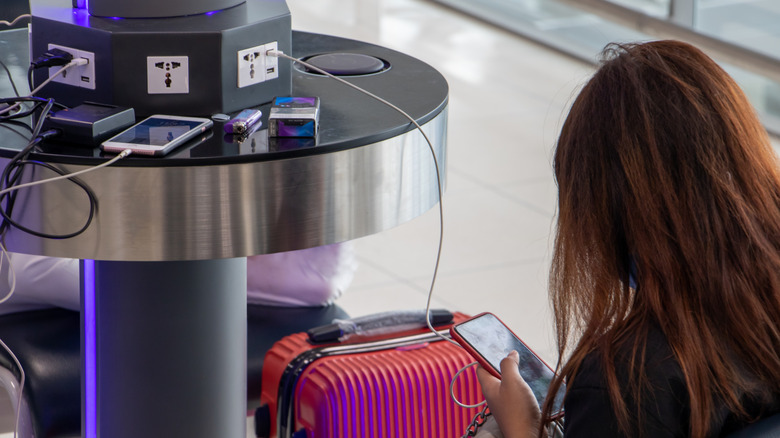
As you gear up for the upcoming travel season, there's more to keeping your valuables safe than learning the top hacks to protect yourself against pickpockets. This includes reading up on a phenomenon known as "juice jacking" or "port jacking": a practice in which attackers install malware at public USB ports and siphon data from your device while it's plugged in.
This has become such an issue that the FBI has issued warnings advising travelers not to plug into public USB ports at airports. And although most tech companies have built-in safety mechanisms to prevent your data from being siphoned, a recent report from technology news website Ars Technica found that a new form of juice jacking actually evaded iOS and Android safety checks.
This isn't just a problem in airports, however. Using the hotel TV's USB port for charging is also a risk that can leave your device vulnerable to data theft. Thankfully, though, there is a simple and affordable fix you can easily pack that protects against all forms of juice jacking: a data blocker. Available on Amazon for less than $10, these small devices plug into USB charging ports and prevent your data from being accessed or transferred. That way, you can safely recharge your devices without exposing sensitive information.
Keeping your data safe while traveling

A recent study by the London School of Economics found that airports are some of the riskiest places for cybersecurity. "We observed more lapses in physical security, more accidental or casual exposure of personal information, risky network practices, and low environmental awareness than in periods of low congestion," the report stated. "Crowd density, noise, resource availability (finding a charging point close to where the traveller was seated), and cognitive load combined to heighten the threat of cybersecurity breaches."
With that in mind, and as the TSA notes in their phone safety guide, the best way to protect yourself and your data while traveling is to ensure a secure supply of power. That means avoiding public USB outlets, using only a power outlet, or bringing along a TSA-approved battery charger that will also let you charge your device once onboard. Additionally, there's also the added layer of protection of knowing how to use public Wi-Fi cautiously. In practice, however, you're much safer using the data on your phone instead because cellular networks encrypt data by default. Finally, you can also invest in a VPN. This will encrypt your internet connection and help protect your data from prying eyes.